Insights | 2026-11-18
UK Technical Support for Mini PC Manufacturers
Mini PCs generate a particular kind of support ticket: part hardware, part software, and often dependent on what the customer installs. Handling them well in the UK takes clear procedures and people who can tell which side a fault sits on.
Why mini PCs are different to support
A typical mini PC arrives with a pre-installed or user-installed operating system, a set of drivers, a BIOS or UEFI setup and a range of ports and storage options. Faults can come from the hardware, the firmware, the operating system, a driver, the power supply or the customer's peripherals. A ticket that says the machine will not start could mean any of these.
Buyers are often enthusiasts who have already tried the obvious steps. First-line support that simply repeats the manual loses their confidence quickly, so agents need the right knowledge and a way to escalate. Our mini PCs and computers page outlines the sector issues we focus on.
It is worth separating the questions you want answered at first line from those that should always go to a technician. Anything involving data loss, overheating, swollen batteries or smell should be escalated immediately under your approved procedure, and the customer should be told to stop using the unit where your guidance says so.
Build a knowledge base first
Good UK support starts with good source material. For mini PCs, a useful pack from the manufacturer includes:
- Driver and BIOS downloads with version notes and known issues.
- Boot, display and network troubleshooting trees written in plain steps.
- Approved memory, storage and operating system configurations.
- Power adapter specifications and the list of accessories supplied.
- Clear statements of what is and is not covered by your warranty.
Separate software issues from hardware faults
Many tickets end as software or configuration cases, and resolving them quickly through email, chat or WhatsApp helps the customer and avoids unnecessary returns. AI-assisted first-line tools can help by working through your documented troubleshooting steps and gathering model, serial number and symptoms before a person takes over.
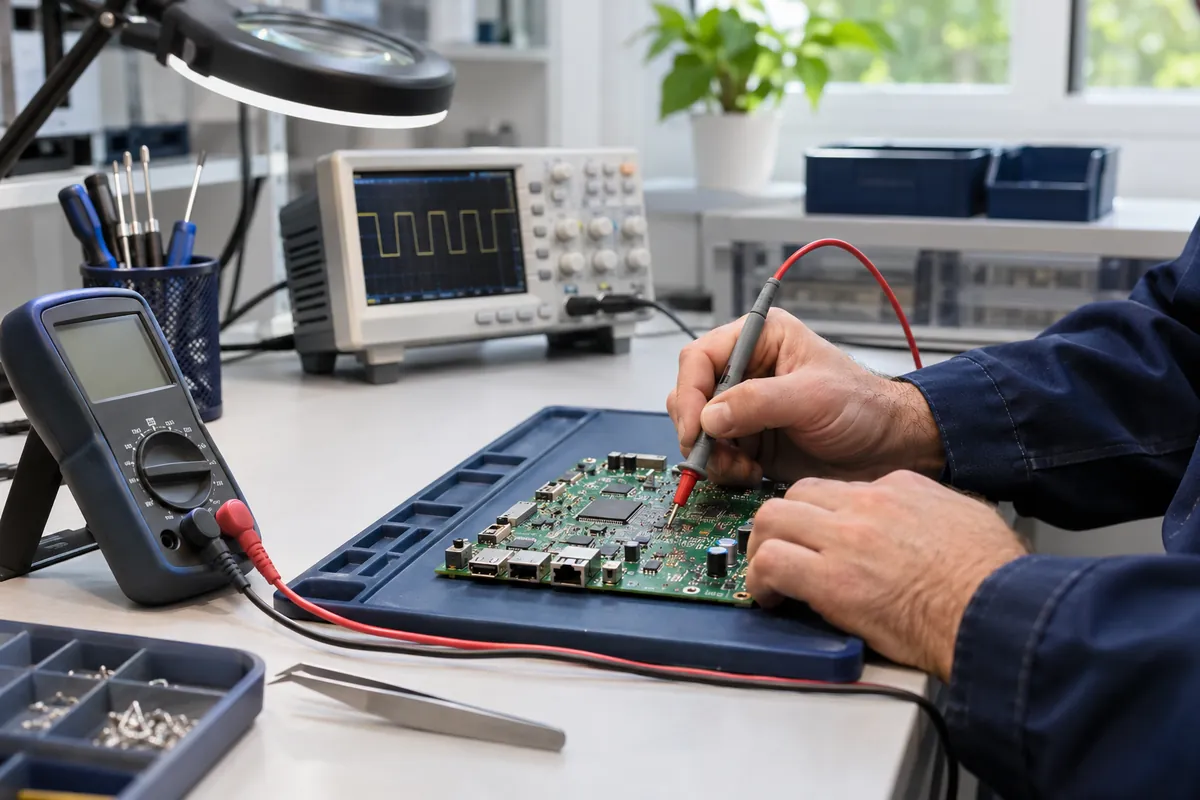
When a fault looks like hardware, the case moves to testing. Where agreed, technical staff can run your diagnostic procedure, check the unit, and report what they find. Any decision on warranty, repair or replacement follows your approved rules. Details of this are on our technical support and diagnostics page.
Firmware, memory and upgrade questions
Mini PC buyers regularly ask about adding RAM, swapping storage or updating firmware. Decide in advance how you want these handled. For some brands, user upgrades are expected and supported. For others, opening the case may affect the warranty position, and that should be stated clearly and fairly, always alongside statutory consumer rights.
Firmware recovery is another area where a documented procedure helps, because a failed update is a common reason for a unit that appears dead. If a recovery method exists, the UK team can follow it step by step instead of sending the unit overseas.
Returns and replacements
When a unit cannot be fixed remotely, speed matters. A UK returns address, serial number verification and condition photographs make decisions faster and reduce disputes. Replacements can be sent from UK stock where it is held, or from your own supply chain, depending on what you agree. See UK returns centre for how returns can be handled.
Marketplace sellers and operating system issues
Many mini PC brands sell through marketplaces such as Amazon UK and eBay, and through their own sites. Support expectations differ by channel, and marketplace rules on response times and returns apply to the seller. A UK point of contact can help the brand respond within those expectations while still following its own warranty rules.
Operating system licensing and pre-installed software are another source of questions. Decide what you ship, what you support and what you simply point customers to the software vendor for. Being clear about this in the knowledge base stops agents guessing, and stops customers expecting help with software you never supplied.
Reporting that helps your product team
Support tickets are a rich source of product information. Monthly reports can group cases by model, batch, fault type and resolution, showing which BIOS versions generate the most questions, which accessories are mislaid and which faults lead to returns. That evidence is useful for your engineers and your supplier discussions, and it is one of the main reasons to keep a proper record of every case rather than resolving them informally.
What to do next
List your three most common support issues, the documents you already have and what you would want escalated to you. That is enough to start scoping a proposed UK support arrangement. You can get in touch to talk it through, or read about UK customer support first.
Give Your Brand a Local UK Presence.
Tell us about your products and where you sell. We will come back with a proposed service scope, subject to agreement.
Prefer to talk it through? Message us on WhatsApp or send an enquiry. A short note about your products is enough, and there is no obligation.